Changelog

Widgets in chat, and questions you can set aside

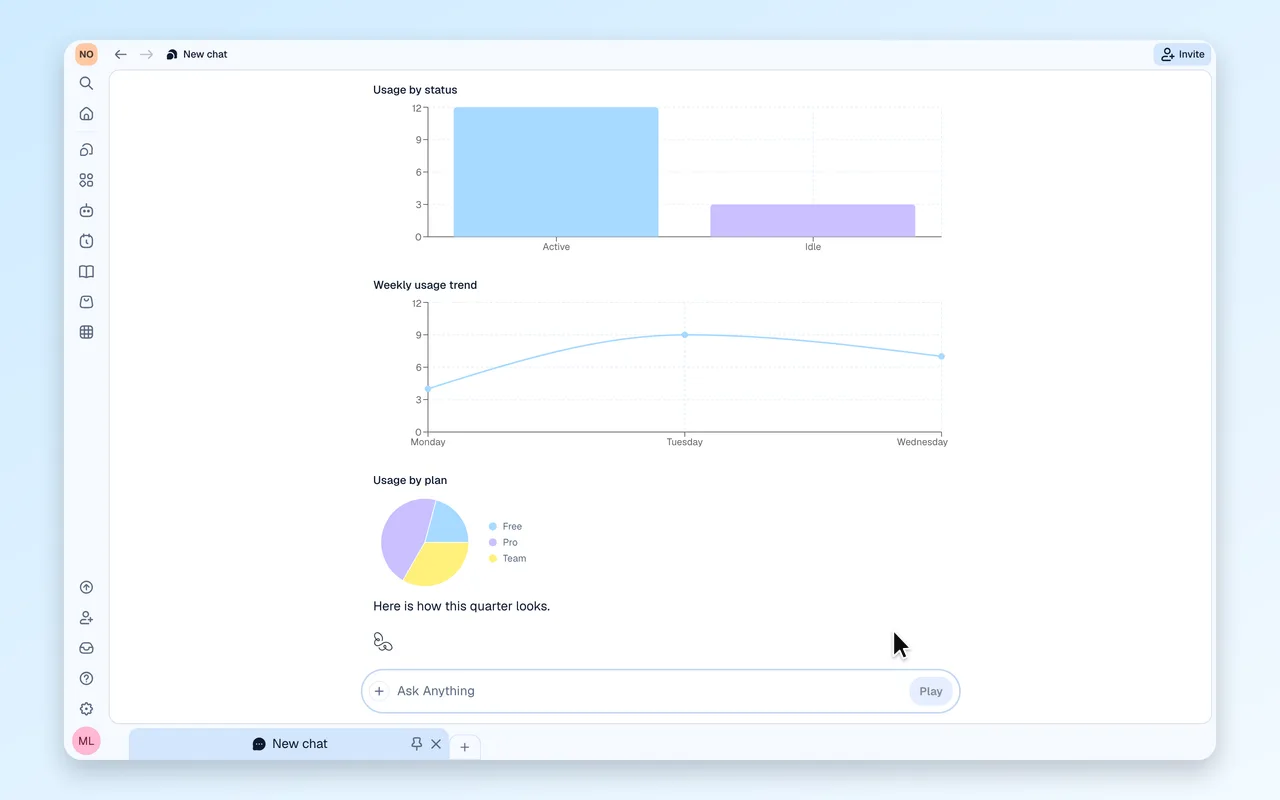
Interactive charts, forms and tables now render inside the chat, and any question Play asks can be set aside and answered later.

Custom widgets, right in the chat

Play builds small interactive charts, forms and tables that render inline in the conversation.
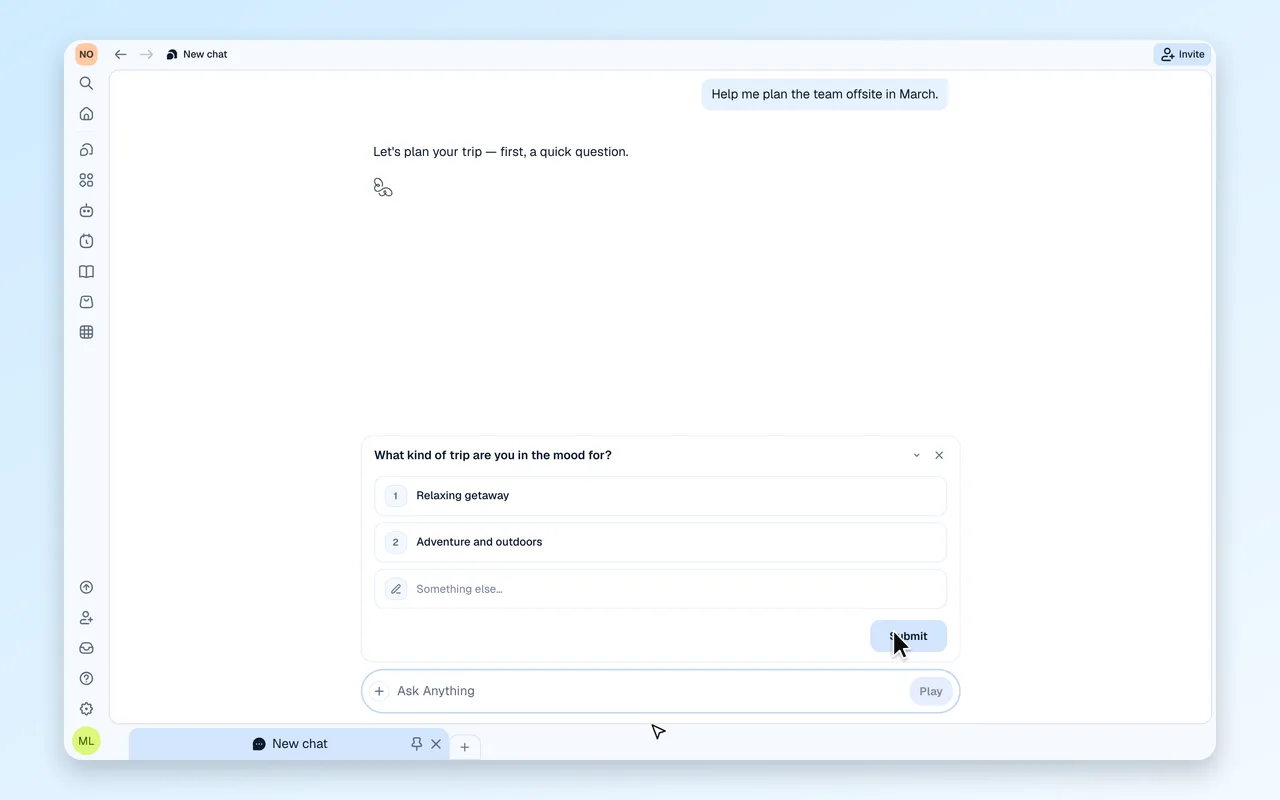
Minimize a question, answer it later

When Play asks you something, collapse it to a single line, keep reading, and expand it when you are ready.

Also in this release

  • Your message shows the moment you send it, with a thinking indicator until the first words arrive
  • Paused tasks can be restarted from the Tasks page
  • Delete co-workers and tasks from their pages, with a clearer warning
  • Page searches keep their query in the link, so refreshing and sharing land on the same results
  • Apps open in the app viewer
  • People outside your organization can request access to a shared app, and admins approve from a notification
  • Hover the edit pencil to see why a message cannot be edited while an answer is being written
  • The new answer dot never shows on the chat you are reading
  • The document viewer no longer reloads while an answer is being written
  • Bonus credits show on the usage page, and annual seats can move to the free plan